How to Read My Electric Meter From a Photo
By Ilya Makarov · Updated 2026-10-14

Reading the meter is the easy part. Deciding which digits count is where people go wrong, and a wrong reading costs real money in both directions — an over-read produces a bill you did not earn, an under-read produces a catch-up charge later.
Before anything else: if your supplier has an app, open it. Most of the large ones now include a meter camera that reads the display and pre-fills the field, and they know what your meter type is. That is free, it is the fastest route, and it submits the reading in the same step. Use it when it works.
It falls down in the places you would expect. Meters live in dark cupboards and outside boxes at knee height, the glass reflects everything in the room, and the app usually gives you one attempt before making you type it anyway.
Which digits you actually report
| Meter type | What you read | What you leave out |
|---|---|---|
| Single-rate digital | All black or white digits, left to right, leading zeros included | Anything red, on red, or after a decimal point |
| Two-rate (Economy 7) | Both rows — Rate 1 or Low, and Rate 2 or Normal | The same red and decimal digits on each row |
| Dial meter | Five dials, left to right | Any dial marked for testing, and red-rimmed dials |
| Smart meter | The total after pressing A or the display button | Standing charge, cost and time screens |
The red rule is the one that catches people. On UK meters a digit displayed in red, or set behind a red border, is tenths of a kilowatt hour. Suppliers do not want it. Read a five-digit meter as six digits and you have multiplied your consumption by ten, which is exactly the kind of reading a billing system happily accepts and then queries three weeks later.
Leading zeros go in. A meter showing 00847 is submitted as 00847, not 847. Some validation systems treat the shortened version as a different number entirely.
Dial meters
Older meters use five pointer dials, and they read strangely because adjacent dials turn in opposite directions — one clockwise, the next anticlockwise. Follow the printed numbers on each face rather than assuming a direction.
Two rules cover almost every case:
- When a pointer sits between two numbers, take the lower one. Between 6 and 7 means 6.
- When a pointer appears to be sitting exactly on a number, look at the dial to its right. If that dial has passed zero, take the number. If it has not, take the number below.
That second rule exists because the dials are geared together, and a pointer that looks “on 5” is often at 4.9.
Economy 7 and two-rate meters
Two rows of figures means two tariffs. The row labelled Rate 1 or Low records the cheaper overnight period; Rate 2 or Normal records daytime. Some meters cycle between them automatically every few seconds, which is a genuine problem for a photo — you can end up with two shots of the same row and no way to tell, because the label scrolls off before the number appears.
If your meter cycles, take a short video instead and pull the frames you need, or photograph the label and the number as one frame even if it means a worse angle.
Why recognition struggles with meters specifically
A meter display is close to the worst case for OCR, for reasons that have nothing to do with the software being bad:
- Seven-segment digits are not a font. They are seven bars with gaps between them, and general-purpose recognisers are trained on printed and handwritten text. A seven-segment
1is two vertical bars at the right edge of an otherwise empty cell, which is easy to lose entirely. Tesseract needs a separate trained model for these displays; it does not read them well out of the box. - Mechanical wheels sit mid-roll. An odometer-style meter caught between digits shows half a 3 above half a 4. A human reads the lower one. A recogniser guesses.
- Glass reflects. The clear cover over the display sends back the flash, the window, and you.
In our test on 14 October 2026 that difference was stark. On a sample LCD-style register (drawn in an ordinary typeface, not true seven segments) the app returned 0459218 exactly. On a sample drum register with white digits on black wheels it found no text at all, and the browser tool returned a wrong number.
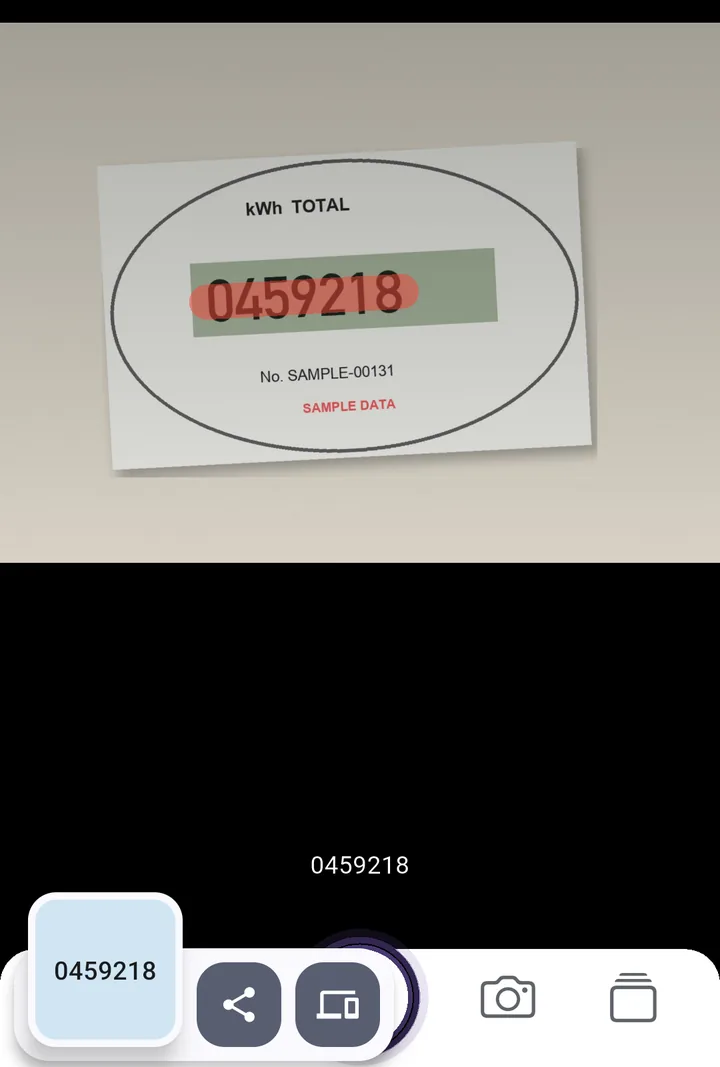
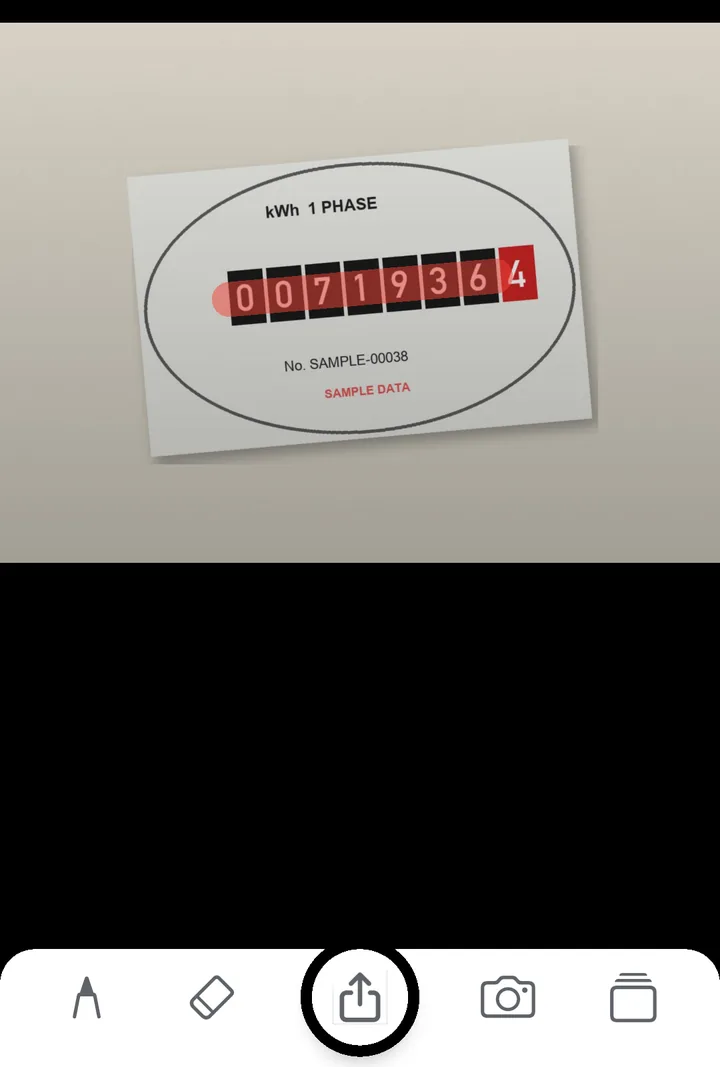
The consequences are the reason it matters. Why OCR gets numbers wrong goes through the specific glyph confusions, and they apply here with no dictionary to catch them — a meter reading has no context, so any misread digit is equally plausible.
Making a photo readable
Shoot square to the glass, not at an angle, and fill the frame with the digit row and nothing else. Turn the flash off and use a torch held off to one side, so the reflection lands outside the digits. If the cover is dusty, wipe it — that does more than any software setting.
Then check the result against something. Your last reading is the best available control: meters only count up, so a number lower than last month means you have misread it. Our meter reading tool shows the digits it read next to your image, so you confirm rather than trust. It does not know your last reading, so that comparison is yours. It also cannot see colour and hands back the red tenths along with everything else — the red-digit rule on the tool page shows how to trim the result.
For a meter in a cupboard you visit every month, having the previous readings on your phone is worth more than a one-off recognition. That is where SwipeScan earns its place over a browser tab: you shoot straight from the camera, swipe over the black digits only, and the paid history keeps a timestamped list of what you read before. For everything else, the meter reading tool in a browser is enough.
Once you have a few months of readings, keeping them in a spreadsheet makes the trend visible — moving numbers from an image into Excel covers the formatting traps there. The same photo discipline applies to reading a water meter, which has its own set of colour-coded digits to ignore.
Frequently asked questions
My meter has two rows of numbers. Which do I send?
Both. Two rows means a two-rate meter, usually Economy 7. The row marked Rate 1 or Low is night electricity, Rate 2 or Normal is day. Send them as a pair, labelled.
Why was my meter reading rejected?
Most often because it is lower than your last one, or implausibly higher. Meters only count up, so a reading below the previous one is treated as a misread — usually a dropped leading zero or an extra digit.
Try the tool this guide is about
It runs in your browser — nothing uploaded, no account. The app adds the camera, offline use, and a paid scan history.
Related guides
Water Meter OCR: Reading a Meter From a Photo
Water meter OCR is harder than it looks: fogged glass, red sweep hands and odometer digits mid-roll. What to photograph, and which digits actually get reported.
OCR Accuracy: Why Numbers Come Out Wrong
OCR accuracy is quoted per character, which hides the real problem. On a long number the whole string is what matters, and that falls away fast. Here is the maths.
Image to Excel: the Traps in Data From Picture
Image to Excel works well until a long number appears. Excel's Data from Picture, the 15-digit ceiling, lost leading zeros, and how to avoid each of them.